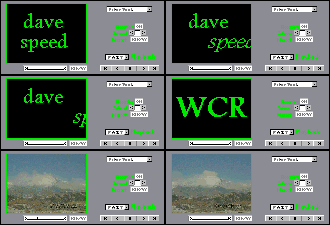

FAQs for use of The WCR!
Good question!!!
There is no one good simple answer to this one. The problem definitely is within Communicator/Navigator version 4.0x, as evidenced by the fact that The WCR always works under Navigator v3.04 and even MSIE v4, and usually works and works and works under Navigator v4.0x. So all we can do is try to keep Nv4.0x calm...
While I attempted to track down the problem, I found that the more crashes I suffered with my Nv4.04, the more likely they were to recur. This led me to decide to clear Navigator v4's disk cache, using the Edit Preferences +Advanced option. I cleared both the memory cache and the disk cache.
I then, using W95 Explorer, viewed the Cache directory (under the user name, under Users), and found that 126 files remained! These files, which may be, or account for, the "hangover" effect of all the crashes, I deleted manually. (If not in use, you can just delete the Nv4 user's Cache directory; it will be recreated as needed.) I then also defragmented my disk, and made sure it wasn't too full. These steps seem to have helped somewhat.
At least now you can simply upload a newer version. My Netscape ver 4.51 has yet to crash...
Other things you can try include:
This peculiarity has been observed in Navigator 4.01 under NT and 4.02 under W95. Try a newer (or, better yet, older -- see link above) version of Netscape's browser.
The WCR was designed to remove the label from a control that is disabled. This is a nice touch for Netscape users. MSIE takes it upon itself to shrink a label-less button. I have therefore disabled most of the dynamic labeling for MSIE4. As soon as I learn that this is also an annoyance in other browsers, I will disable it there also.
Try changing your web browser's Cache setting. Instead of "every time I view the page" or "whenever the page is out of date", use the "once per session" setting. You may (probably will) have to restart your browser for this setting change to take effect. (If you then are annoyed by other sites whose pages do not refresh for you as frequently as you'd like, you can always manually Reload the pages or frames. Sometimes a Shift-Reload does the trick.)
Would you believe The Web Cam Recorder is so new that no one's asked many questions yet?
It's true!
So here are a few tips:
Once you've loaded a few images, the Play modes will become available, as will the frame-DELete button and the visible gauge (below the image) of where in the sequence each image is located.
Whenever you've loaded more than a few images and you tell The Web Cam Recorder to change Cams, you'll be asked if you want to delete/erase all the existing, previously recorded frames in The WCR frame sequence. Click OK [ENTER] to flush them, or Cancel [ESC] to keep them.
The Web Cam Recorder "records" a new frame every time it fetches/refreshes a new image from the server.
Your (Navigator) browser's Status Line (at bottom) provides useful information about The Web Cam Recorder's interactions with the image server.
If a server returns a non-image file, or if your browser is not on-line, The WCR will detect this immediately upon fetching, display "Non-responsive server" below the image area, wait a few seconds, and make another attempt to fetch an image. After 5 such consecutive failures The WCR will place itself in Stop mode and alert you to its anability to fetch images.
If an image server is misbehaving badly, and its host name keeps showing up in the Status Line even after you've stopped the Record mode, try a press of the ESC key.
While in Play mode, the FF (Fast Forward) button will advance past 1/4 of the frames remaining in the sequence.
The image itself is always a link to the web page of the cam that was selected from the list.
The "user-supplied URL" must be the full url of the Web Cam image (GIF or JPEG).
Remember, The Web Cam Recorder you've seen here is a multi-featured demonstration model.
Many custom WCR modifications are possible; not all sites will need or want to have every possible control available to every visitor. Many configuration options are possible...
All inquiries should be directed via email.
send a copy of all Unsolicited Commercial Emails directly to uce@ftc.gov
Copyright ©1998 by davespeed WebDesign
World Rights Reserved